Weak WiFi can make streaming, gaming, video calls and even simple web browsing frustrating. In many cases, the problem isn’t your internet speed but poor wireless coverage caused by thick walls, long distances or interference within your home. A WiFi extender can often provide a simple and affordable way to eliminate dead zones without replacing your existing router.
In this guide, we’ll compare the best WiFi extenders available in the UK, helping you choose the right model for your home, budget and internet setup. If you’re looking for a broader overview of improving your home network, take a look at our Home Networking Guide, which explains routers, mesh systems, extenders and other ways to achieve faster, more reliable WiFi.
So, let’s get started.
Best Options At A Glance
Comparison Of The Best WiFi Extenders
The table below provides a quick comparison of the best WiFi extenders, making it easier to find the right model for your home and budget.
| 📡 Model | 💷 Price Tier | ⚡ Max WiFi Speed | 🏠 Best For | ⭐ Key Feature |
|---|---|---|---|---|
| NETGEAR EX3110 | £ | 750 Mbps | Small homes & apartments | FastLane™ technology |
| MERCUSYS ME60X AX1500 | £ | 1,201 Mbps (5 GHz) | Best value WiFi 6 | EasyMesh & Gigabit Ethernet |
| TP-Link RE550 AC1900 | ££ | 1,300 Mbps (5 GHz) | Large homes | Three high-gain antennas |
| TP-Link RE225BE WiFi 7 | £££ | 2,882 Mbps (5 GHz) | Future-proof performance | WiFi 7 with Multi-Link Operation |
Product Summaries
NETGEAR WiFi Extender Booster EX3110
- Brand - NETGEAR
- Dimensions - 7.25 × 7.25 × 6.48 cm
- Weight - 200 g
- Wireless Speed - 750 Mbps
- Special Feature - FastLane™ technology
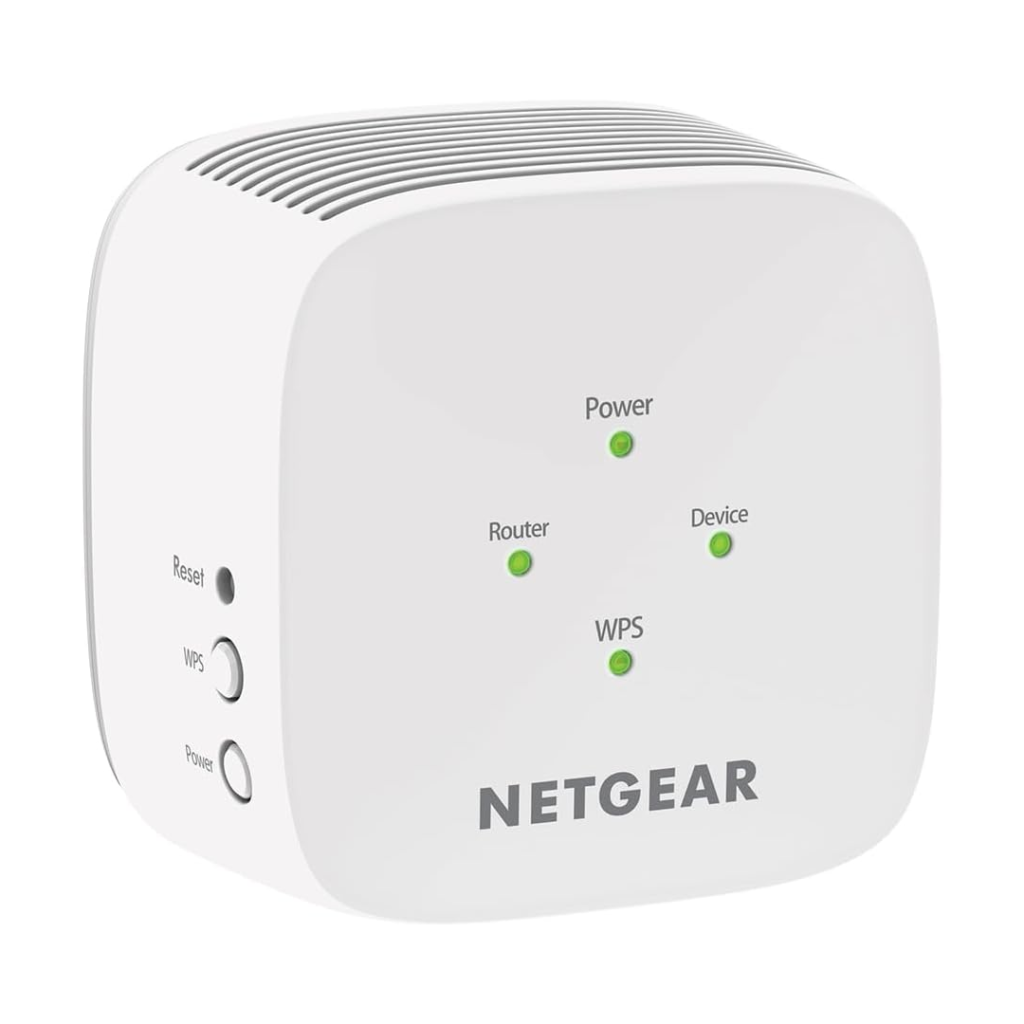
Firstly we have the NETGEAR WiFi Extender Booster EX3110, which is the most budget friendly router on our list. It’s currently selling for £30/$40 on Amazon.
Supporting dual-band WiFi speeds of up to 750 Mbps, it extends your existing network to cover up to 650 sq ft while connecting up to 20 devices. This makes it a great choice for smaller homes or apartments where WiFi struggles to reach certain rooms.
Setup is quick and straightforward using the WPS button, while the NETGEAR WiFi Analyzer app helps you position the extender for the best possible performance. It also uses your existing WiFi network name, allowing devices to move around your home without needing to reconnect manually.
Compatible with virtually any WiFi router, gateway or modem, the EX3110 supports modern WPA/WPA2 security and features NETGEAR’s FastLane™ technology, which helps maximise performance when extending your wireless network.
Overall, it’s an excellent budget WiFi extender that combines simple setup, reliable performance and broad compatibility at a very competitive price.
Buy the NETGEAR WiFi Extender Booster EX3110 from Amazon for only £30/$40:
Mercusys ME60X AX1500 WiFi 6 WiFi Extender
- Brand - Mercusys
- Dimensions - 8.47 × 3.9 × 11.2 cm
- Weight - 190 g
- Wireless Speed - 300-1500 Mbps
- Special Feature -Access Point Mode
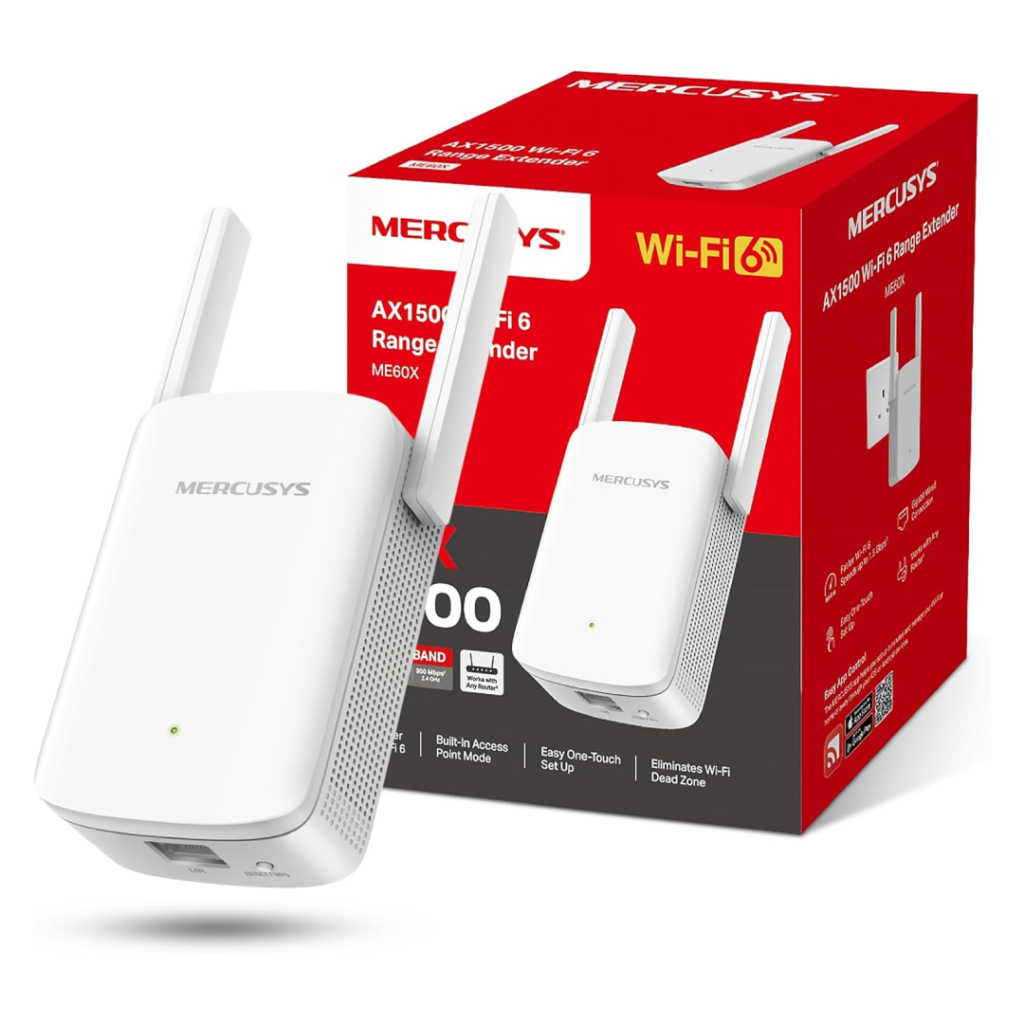
Next we have the Mercusys ME60X AX1500 WiFi 6 WiFi Extender. It’s currently selling for £33/$44 on Amazon
Powered by WiFi 6, it delivers combined dual-band speeds of up to 1,500 Mbps, with 1,201 Mbps on the 5 GHz band and 300 Mbps on 2.4 GHz. This makes it well suited to demanding tasks like 4K streaming, online gaming and supporting multiple connected devices simultaneously.
The ME60X is equipped with high-gain antennas to improve coverage and eliminate dead zones, while the built-in Gigabit Ethernet port provides a fast wired connection for devices such as gaming consoles, desktop PCs or smart TVs. It also supports EasyMesh, allowing it to integrate with compatible routers to create a more seamless whole-home WiFi network.
Setup is quick using the WPS button or the MERCUSYS app, and it works with virtually any existing WiFi router, making it an easy upgrade for most home networks.
Overall, it’s an excellent value WiFi 6 extender that combines faster wireless speeds, modern features and strong whole-home coverage at a very competitive price.
Buy the Mercusys ME60X AX1500 WiFi 6 WiFi Extender from Amazon for only £33/$44:
TP-Link RE550 AC1900 WiFi Booster
- Brand - TP-Link
- Dimensions - 6.6 x 8.6 x 16.3 cm
- Weight - 360 g
- Download Speed - 1301 Mbps
- Special Feature - EasyMesh-compatible
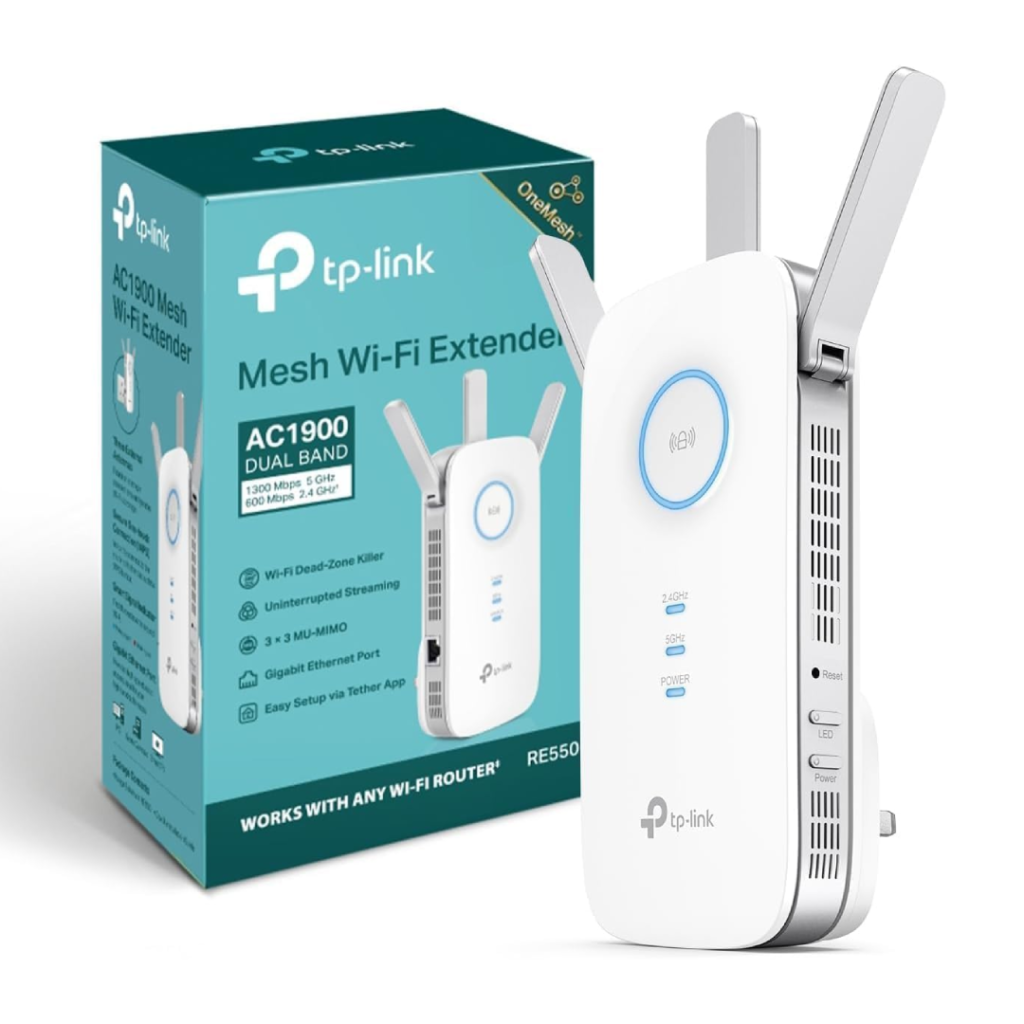
Another great router is the TP-Link RE550 AC1900 WiFi Booster. It’s currently selling for £59/$80 on Amazon.
Supporting WiFi speeds of up to 1,300 Mbps on the 5 GHz band and 600 Mbps on 2.4 GHz, the RE550 provides fast, reliable connections for 4K streaming, online gaming and busy households with multiple connected devices.
The RE550 features three adjustable high-gain external antennas, helping extend WiFi coverage throughout larger properties while reducing dead zones. It’s also EasyMesh compatible, allowing you to create a more seamless whole-home network when paired with a compatible router.
A built-in Gigabit Ethernet port lets you connect wired devices such as desktop PCs, smart TVs or games consoles, and it can also operate in Access Point Mode to create a new wireless network from a wired connection. Installation is simple thanks to the TP-Link Tether app, one-touch WPS setup and the intelligent signal indicator that helps you find the optimal location.
Overall, it’s a powerful WiFi extender that combines excellent coverage, fast dual-band performance and useful networking features, making it one of the best options for larger homes.
Buy the TP-Link RE550 AC1900 WiFi Booster from Amazon for £59/$80:
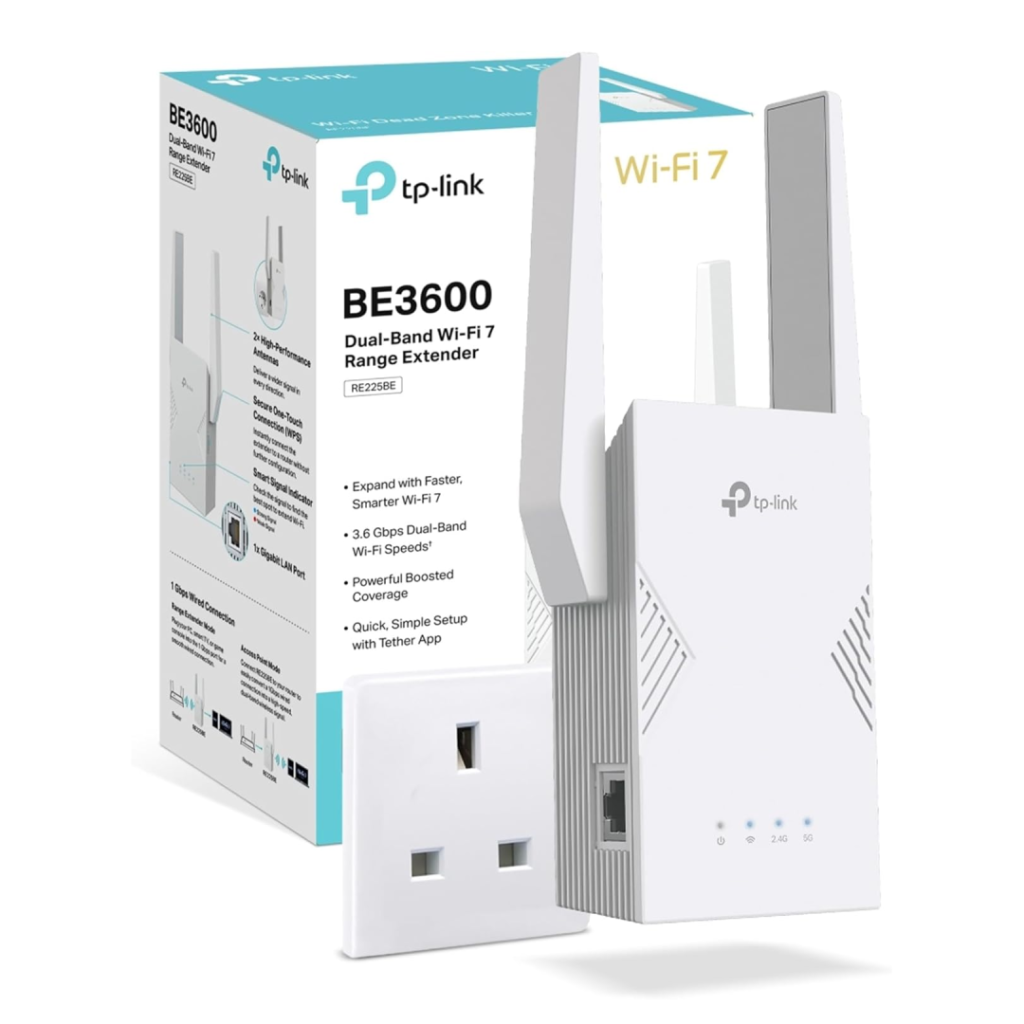
TP-Link RE225BE BE3600 WiFi 7 Extender
- Brand - TP-Link
- Dimensions - aprx. 7 x 8 x 15 cm
- Weight - aprx. 400 g
- Wireless Speed - 2882 Mbps
- Special Feature - Multi-Link Operation (MLO)
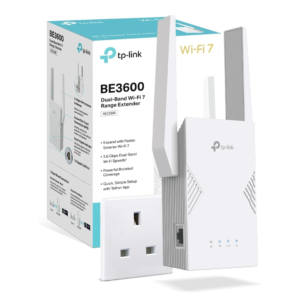
Finally we have the TP-Link RE225BE BE3600 WiFi 7 Extender. It’s currently selling for £110/$148 on Amazon.
Supporting WiFi 7, it delivers speeds of up to 2,882 Mbps on the 5 GHz band and 688 Mbps on 2.4 GHz, providing fast, reliable connections for 4K streaming, online gaming and busy households with multiple connected devices. It also supports Multi-Link Operation (MLO), which improves throughput, reduces latency and helps maintain a more stable wireless connection.
The RE225BE is EasyMesh compatible, allowing it to work seamlessly with compatible TP-Link routers and extenders to create a whole-home mesh network with uninterrupted roaming. A built-in Gigabit Ethernet port also provides a fast wired connection for devices such as desktop PCs, smart TVs and gaming consoles.
Installation is quick using either the WPS button or the TP-Link Tether app, and the extender works with virtually any WiFi router or internet provider, making it an easy upgrade for most home networks.
Overall, it’s an outstanding premium WiFi extender that combines cutting-edge WiFi 7 performance, seamless roaming and future-proof features for demanding users.
Buy the TP-Link RE225BE BE3600 WiFi 7 Extender from Amazon for £110/$148:
What to Look for in a WiFi Extender
The table below highlights the main features to compare when choosing a WiFi extender for your home.
| 🔍 Feature | ✅ What to Look For | 💡 Why It Matters |
|---|---|---|
| WiFi Standard | WiFi 6 or WiFi 7 for newer networks | Newer standards provide better speed, efficiency and support for multiple devices |
| 5 GHz Speed | At least 1,000 Mbps for demanding use | Higher 5 GHz speeds are better for streaming, gaming and large downloads |
| Ethernet Port | Gigabit Ethernet where possible | Allows wired connections for TVs, PCs and games consoles |
| Mesh Support | EasyMesh or compatible mesh technology | Helps devices move between coverage areas with fewer connection drops |
| Coverage | Match the extender to the size and layout of your home | Walls, floors and distance can significantly reduce real-world range |
| Signal Indicator | LED placement guidance or app support | Makes it easier to position the extender where it receives a strong router signal |
| Router Compatibility | Works with your current router and WiFi generation | Ensures the extender can connect properly without replacing existing equipment |
FAQs
Yes, a WiFi extender can significantly improve wireless coverage by rebroadcasting your router’s signal into areas with weak or no WiFi. They work best when placed midway between your router and the area with poor coverage.
A WiFi extender is usually the more affordable option for eliminating a single dead zone. Mesh WiFi systems are better suited to larger homes or properties that require fast, seamless wireless coverage throughout multiple rooms or floors.
A WiFi extender cannot increase the speed provided by your internet service provider, but it can improve WiFi performance in areas with weak signal. This often results in faster real-world speeds, fewer dropouts and a more reliable connection in previously hard-to-reach parts of your home.
A WiFi extender should be placed roughly halfway between your router and the area with poor signal. It needs to receive a strong WiFi signal from the router in order to provide reliable extended coverage.
Thanks for reading our article on the best WiFI boosters.
If you’re still experiencing slow or unreliable WiFi after installing an extender, our guide on How to Improve WiFi Signal in Your House covers router placement, interference, channel selection and other ways to maximise wireless performance.
Feel free to leave a comment below if you have any thoughts or queries that you’d like us to take a look at – we’d be happy to help. Bye for now!