
4G routers can be an effective way to achieve reliable broadband speeds, particularly in areas where fixed-line connections are slow or unavailable. Models with external antennas often provide stronger signal reception and wider coverage, making them a sensible choice for improving stability and performance.
With a wide range of options available, offering different speeds, antenna configurations and features, this guide highlights some of the best 4G routers currently available. If you’re upgrading your home connectivity, you may also find our guide to the Best Outdoor TV Aerial for Freeview useful, particularly if reception is a wider concern in your area.
So, which 4G routers with external antennas are worth considering today?
Best Options At A Glance
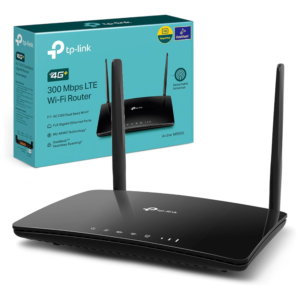


Comparison of the best 4G routers with external antennas
If you’re comparing connection type, speed and overall capabilities, the table below highlights the key differences between these routers at a glance.
| 📡 Product | 📶 Mobile Network | 🚀 Wi-Fi Speed | ⭐ Key Feature |
|---|---|---|---|
| MERCUSYS MB115-4G | 4G LTE Cat4 / 150 Mbps | 300 Mbps | Plug-and-Play SIM Setup |
| TP-Link TL-MR6400 | 4G LTE Cat4 / 150 Mbps | 300 Mbps | Detachable LTE Antennas |
| TP-Link Archer MR500 | 4G+ LTE Cat6 / 300 Mbps | AC1200 (1167 Mbps) | Carrier Aggregation & OneMesh |
| GL.iNet Spitz AX GL-X3000 | 4G LTE / 5G NR | AX3000 (2976 Mbps) | Dual-SIM Failover & 5G Support |
Product Summaries
MERCUSYS MB115-4G 300 Mbps 4G Router
- Brand - MERCUSYS
- Dimensions - 22.2 x 14 x 3.2 cm
- Weight - 300 g
- Wireless Speed - 150 Mbps
- Special Feature - Plug and Play
Firstly we have the MERCUSYS MB115-4G 300 Mbps 4G Router, which is the most budget friendly router on our list. It’s currently selling for £50/$67 on Amazon.
This router uses a 4G SIM card to provide internet access, making it ideal for rural homes, temporary setups, or backup connectivity. Setup is straightforward – simply insert a SIM card and power it on, with no complex configuration required.
With download speeds of up to 150 Mbps and WiFi speeds of 300 Mbps, it’s well suited to everyday tasks such as browsing, streaming, and light work use. It can support up to 32 connected devices, making it a practical option for households or small offices.
The four external antennas help improve signal strength and stability, particularly in areas where mobile coverage may be weaker. There’s also a WAN/LAN port, allowing you to use it as a standard WiFi router if you have access to a wired connection.
Overall, it’s a simple, low-cost 4G router that offers reliable performance for basic internet use, especially where traditional broadband isn’t available.
Buy the MERCUSYS MB115-4G 300 Mbps 4G Router from Amazon for only £50/$67:

TP-Link TL-MR6400 4G Mobile Wi-Fi Router
- Brand - TP-Link
- Dimensions - 14.5 x 20.2 x 3.4 cm
- Weight - 606 g
- Wireless Speed - 300 Mbps
- Special Feature - Plug and Play
Next we have the TP-Link TL-MR6400 4G Mobile Wi-Fi Route. It’s currently selling for £100/$135 on Amazon.
TP-Link are the world’s number one provider of consumer networking devices, so it’s only right that we included one of their 4G routers on this list.
Similarly to the 4G06C from Tenda, the TL-MR6400 can provide internet access for up to 32 devices simultaneously. It’s also capable of network speeds up to 300Mbps on a 2.4Ghz connection.
The advanced LTE antennas are great for creating a stable network connection, but you also have the option to detach them if necessary. This is perfect if you have limited vertical space on a shelf or in a cupboard.
It has some other useful features as well including parental controls for cyber safety, QoS for prioritising key devices, and guest networks to ensure your privacy is secure from visitors.
This 4G LTE advanced router from TP-Link is an excellent choice for £100.
Buy the TP-Link TL-MR6400 4G Mobile Wi-Fi Router from Amazon for only £100/$135:

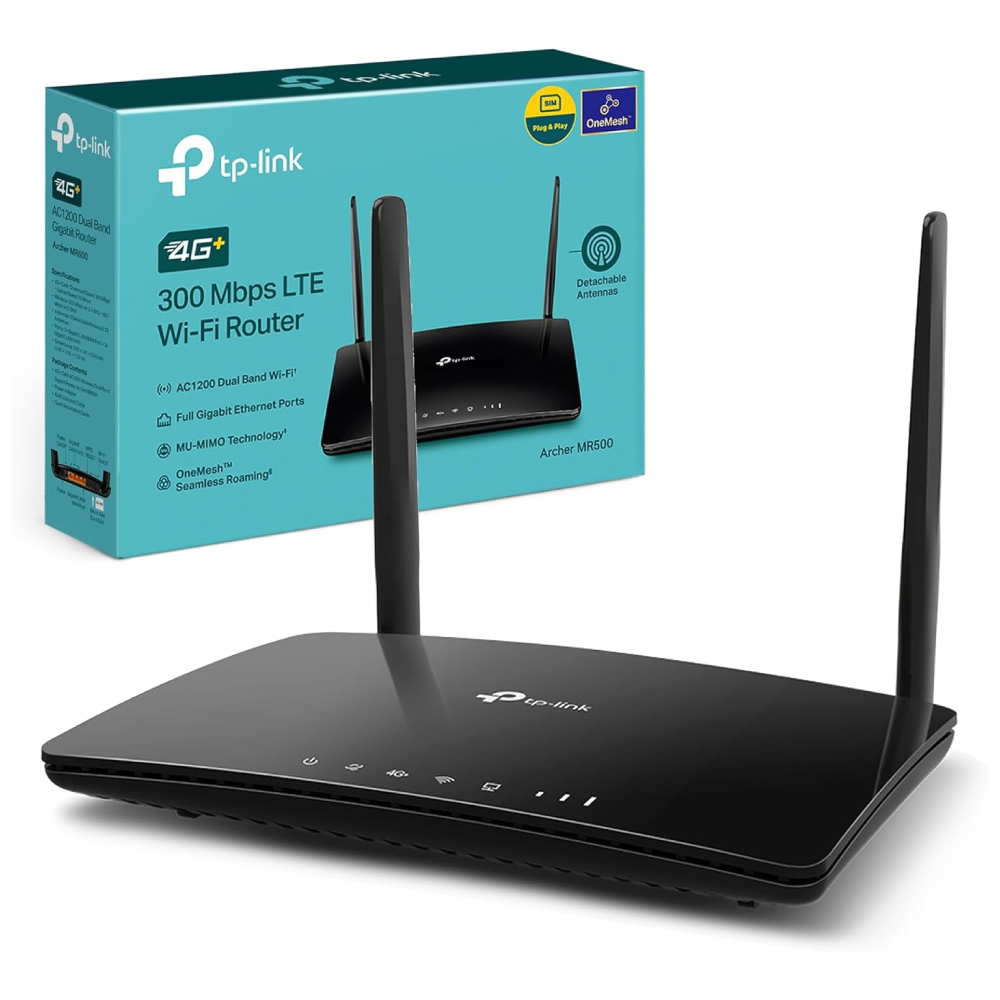
TP-Link Archer MR500 AC1200 4G+ Cat6 Router
- Brand - TP-Link
- Dimensions - 20.2 x 14.1 x 3.4 cm
- Weight - 320 g
- Wireless Speed - 300 Mbps
- Special Feature - 4G+ Cat6 & OneMesh Support
Another impressive 4G router is the TP-Link Archer MR500 AC1200 4G+ Cat6 Router. It’s currently selling for £100/$133 on Amazon.
The TP-Link Archer MR500 is a versatile 4G+ router designed for households looking for faster mobile broadband without relying on a fixed-line connection. Its LTE Cat6 technology supports download speeds of up to 300Mbps, using carrier aggregation to combine compatible mobile network bands for improved performance.
Unlike basic 4G routers, the Archer MR500 provides dual-band Wi-Fi, with speeds of up to 300Mbps on 2.4GHz and 867Mbps on 5GHz. It supports up to 64 connected devices, making it suitable for households with multiple phones, computers and smart home devices.
Two detachable external LTE antennas help maintain stable mobile signal reception, while Gigabit Ethernet ports provide reliable wired connections. The router also supports TP-Link OneMesh for extending wireless coverage using compatible devices.
Setup is straightforward, with a dedicated SIM card slot and network management through the TP-Link Tether app. It can also operate as a conventional Wi-Fi router using a wired broadband connection when needed.
Overall, the Archer MR500 offers an excellent balance of 4G+ performance, dual-band Wi-Fi and ease of use, making it our best overall 4G router with external antennas.
Buy the TP-Link Archer MR500 AC1200 4G+ Cat6 Router from Amazon for £100/$133:
GL.iNet GL-X3000 (Spitz AX) 5G Router
- Brand - GL.iNet
- Dimensions - 14.2 x 9.4 x 5.5 cm
- Weight - 249 g
- Wireless Speed - 2402 Mbps
- Special Feature - Dual-SIM Standby
Last but definitely not least, we have the GL.iNet GL-X3000 (Spitz AX) 5G Router. It’s currently selling for £338/$456 on Amazon.
Unlike the other routers on this list, the GL-X3000 is designed primarily as a 5G mobile broadband router, meaning it can create a high-speed internet connection directly from a 5G SIM card. This makes it particularly useful in locations where traditional fibre or cable broadband isn’t available, such as rural homes, temporary workspaces or off-grid setups. If you have good 5G coverage and want to compare more options, take a look at our guide to the Best 5G Routers UK.
The router supports dual-SIM standby, allowing it to switch automatically between two mobile networks to maintain the strongest connection available. This can improve reliability in areas where signal strength varies between providers.
It can also handle up to 70 connected devices, making it capable of supporting larger households or small offices. Built-in load balancing helps distribute network traffic more evenly across connected devices, helping maintain a consistent connection when multiple users are online at the same time.
While traditional routers like the Flint 3 are designed to distribute an existing broadband connection, the GL-X3000 is built to replace it entirely using 5G mobile internet. That makes it a strong option for users who need high-speed connectivity without relying on fixed broadband infrastructure.
Buy the GL.iNet GL-X3000 (Spitz AX) 5G Router from Amazon for £338/$456:

4G Router External Antenna Types Explained
External antennas can significantly improve 4G router performance, but choosing the right type is key. Here’s how the main antenna types compare:
| 📡 Antenna Type | 📶 Signal Direction | ⚡ Performance | 🏠 Best Location | ✅ Best For |
|---|---|---|---|---|
| Omni-directional | 360° | Moderate boost | Areas with multiple masts | General use |
| Directional (Yagi/Panel) | Focused | High boost | Rural / weak signal areas | Targeting one mast |
| MIMO Antenna | Dual signal paths | Improved speed + stability | Most environments | 4G/4G+ performance |
| Indoor Antenna | Varies | Low improvement | Near windows | Minor signal issues |
| Outdoor Antenna | Varies | Maximum improvement | Roof / external wall | Weak signal areas |
FAQs
In short yes, external antennas are worth it because they can improve the performance of your router.
External 4G antennas can help your router to locate and connect to a mobile network more easily than routers with internal antennas. This can help to give you a faster and more consistent network connection when you’re outside of Wi-Fi range. They can be particularly helpful if your router regularly loses it’s network connection, as they can help to improve consistency and increase the average uptime for your router.
The key benefit of external antennas is increased signal strength. The idea is that the stronger signal created by the antenna allows for faster internet speeds regardless of where you are in relation to your router. This is particularly useful for people with larger homes or thick supporting walls that may interfere with your signal.
Yes, in most cases external antennas will help to increase WiFi range. They play a role in both signal strength and network coverage, so not only can they improve the range of your WiFi, but also the strength and speed of your connection.
Yes, most 4G routers require a SIM card to connect to a mobile network and provide internet access. Ensure the SIM card is compatible with your router and has a data plan that’s suitable for your needs.
Thanks for reading our article on the best 4G routers with external antennas. If you want to learn more about their annual running costs take a look at our guide on Router Power Consumption. If you’re interested in improving your home network in general, you may want to check our article covering the Ultimate Home Networking Guide.
Feel free to leave a comment below if you have any thoughts or queries that you’d like us to take a look at – we’d be happy to help. Bye for now!